



Virtual Phone Number for Business
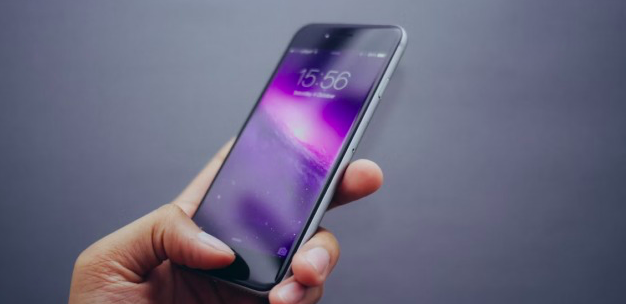
A virtual number is a modern communication technology that allows users to communicate over long distances in different countries. It is linked to a virtual phone system that routes calls to a designated phone number, which could be a landline or mobile phone.
What are The Pros of Using a Virtual Number?
Firstly, it is a geographic flexibility. Virtual numbers can be assigned to a specific geographic location, allowing businesses to establish a local presence in different regions without needing to have a physical office there.
Secondly, it is cost savings. Internet numbers can be cheaper than traditional phone lines, especially for businesses that need to make long-distance or international calls. Also, with the eSIMPlus, users can get a virtual number both with a specific tariff plan and for free.
Thirdly, because of scalability. Several iPhone systems can easily handle large call volumes, making it easy for businesses to scale their communication needs as they grow.
How Can I Use Virtual Number As a Businessman?
Virtual numbers communication services can be used in various ways and in many different situations. Here are some examples of where you can use a virtual number.
Business ideas
Virtual numbers can be used by businesses to establish a local presence in different regions without needing to have a physical office there. They can also be used for marketing campaigns, customer service, and sales.
Personal goals
Internet numbers can be used for personal reasons, such as keeping your personal phone number private when conducting business or dating online.
Travel issues
The Easiest Way to Verify WhatsApp Phone Number. Buy Virtual Phone Number to Verify and Use WhatsApp
Via eSIM Plus there numbers can be used when traveling to another country to avoid expensive roaming charges. By getting a virtual number local to the country you are visiting, you can make and receive calls at local rates.
Remote working
Virtual numbers can be used by remote workers to ensure that they have a dedicated business line and to make it easy for clients and colleagues to reach them.
Security and privacy
Cloud numbers can be used for privacy reasons, such as when signing up for online services that require a phone number. Via using an internet online mobile number, you can keep your personal phone number private.
Overall, virtual numbers can provide businesses with a range of benefits and help them communicate more efficiently with their customers and clients.
How to Get a Virtual Phone Number
To purchase and get a virtual phone number on the eSIM Plus platform, you need to follow the next steps:
1. Determine your needs
Identify why you need a virtual phone number and what features you require. Consider factors such as geographic location, call volume, cost, and privacy.
2. Go to the eSIM Plus platform
Read basic information about virtual numbers and find out what kind of number you need.
3. Sign up or log in to your personal account
To use the service, be sure to log in or sign in to this online platform via the dedicated link.
4. Decide on what number do you need and choose the country
5. Select a tariff plan
Choose a plan that meets your needs and budget with the chosen country. Ensure that the plan includes all the features you require, such as call forwarding, voicemail, and call recording.
6. Test the service, evaluate and adjust: Test the virtual phone number service to ensure that it is working correctly and meets your needs. Make test calls and send text messages to ensure that the service is reliable and user-friendly.
By following these steps, you can get a virtual phone number that meets your needs and ensures you are happy with your choice.
Random Services
Blogs
New Job Messages - New Jo...
Do you have an acquaintance or lover who started a new job? Then you can take a look at our list of new job messages to congratulate their new job. Because you may not be able to g...
Read MoreWhatsApp Channels. What i...
WhatsApp Channels has landed in Europe and is making waves across eCommerce. What is it and who is it for? And the big one – how do I use WhatsApp Channels with charles for my mark...
Read MoreLetter to Your Lover | 17...
One of the best ways to express your feelings to your lover is to write them a letter. If you want to continue this beautiful tradition that has been going on since ancient times, ...
Read MoreVirtual Number for WhatsA...
WhatsApp has become the go-to platform for both business and personal communication. And, it's no surprise that many of us need more than one phone number for WhatsApp. So, what ex...
Read MoreNewborn Baby Messages - 5...
Congratulatory messages for the newborn baby are of great importance after the much-anticipated birth takes place. Newborn baby messages, which are very important for all relatives...
Read MoreWhy WhatsApp is a great c...
Every WhatsApp salesperson will tell you that WhatsApp gets you open rates of around 90%. But many fail to mention the killer benefit of Whatsapp: retention. We take a look why it'...
Read More